Sapphire Tears
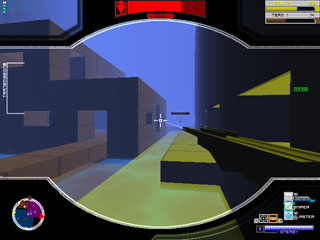
Jump into a game, construct a base, and start battling on it! Sapphire Tears is a unique first person shooter where players can build their own structures before play begins. An assortment of weapons and abilities enhance the play. Duke it out with up to 7 other people!
Game Info
Developer
JakeX
Lead Design
JakeX
Genre
First Person Shooter
Max players
8
Reflect Account Support
Required
Current Version
0.4.15.58
Development Status
Complete
Downloads
Download game (4.19 Mb):
Controls
In the lobby
LEFT MOUSE - Increase value
RIGHT MOUSE - Decrease value
SHIFT + LEFT/RIGHT MOUSE - Larger increase/decrease
In-game, first person mode
WASD - Move
SPACE - Jump
LEFT MOUSE - Shoot
RIGHT MOUSE - Reload
MOUSE WHEEL - Choose ammo type
Q (hold) - Scope
Q (hold) + MOUSE WHEEL - Adjust scope zoom
NUM 9 - Hold if stuck in block
NUM 5 - Set spawn point
NUM 7 - Teleport to spawn point
HOME - Open base editor
E - Toggle visor
TAB - Display scoreboard
In-game, base editor
ARROW KEYS - Move cursor/adjust block
NUM +/- - Adjust cursor height/adjust block
SPACE - Start/end block
BACKSPACE - Start/end delete block
CTRL - Start/end territory (when territory is not set to Free Build)
S - Start / set / end slope
L - Set/place light
END - Return to First person mode
NUM 4/6 - Rotate camera
ALT + F4 - End the game
How To Use the Editor
Move your cursor to where you want to place a block. Press Space bar to start the block. Now, use the cursor keys and keypad to adjust the block's size. Place Space bar again to place the block. Repeat the above steps, but with Backspace, to delete blocks.
LEFT MOUSE - Increase value
RIGHT MOUSE - Decrease value
SHIFT + LEFT/RIGHT MOUSE - Larger increase/decrease
In-game, first person mode
WASD - Move
SPACE - Jump
LEFT MOUSE - Shoot
RIGHT MOUSE - Reload
MOUSE WHEEL - Choose ammo type
Q (hold) - Scope
Q (hold) + MOUSE WHEEL - Adjust scope zoom
NUM 9 - Hold if stuck in block
NUM 5 - Set spawn point
NUM 7 - Teleport to spawn point
HOME - Open base editor
E - Toggle visor
TAB - Display scoreboard
In-game, base editor
ARROW KEYS - Move cursor/adjust block
NUM +/- - Adjust cursor height/adjust block
SPACE - Start/end block
BACKSPACE - Start/end delete block
CTRL - Start/end territory (when territory is not set to Free Build)
S - Start / set / end slope
L - Set/place light
END - Return to First person mode
NUM 4/6 - Rotate camera
ALT + F4 - End the game
How To Use the Editor
Move your cursor to where you want to place a block. Press Space bar to start the block. Now, use the cursor keys and keypad to adjust the block's size. Place Space bar again to place the block. Repeat the above steps, but with Backspace, to delete blocks.